
The Stars80 isn’t just a keyboard, it’s a canvas for your creativity. In this guide, we’ll delve into the world of customization, empowering you to tailor your keyboard to your exact preferences. From remapping keys to creating complex macros and dazzling RGB lighting effects, you’ll learn how to transform your Stars80 into a truly personalized typing experience.
Before we embark on the customization journey, ensure your Stars80 is ready:
Cable Connection:
A wired connection is crucial for stable customization. Connect your keyboard to your computer using a Type-C cable. This ensures a reliable connection for the software to recognize and interact with your keyboard.
Download the VIA Jason File:
Head to VIA Website: Open your web browser and navigate to the official VIA website: https://usevia.app/
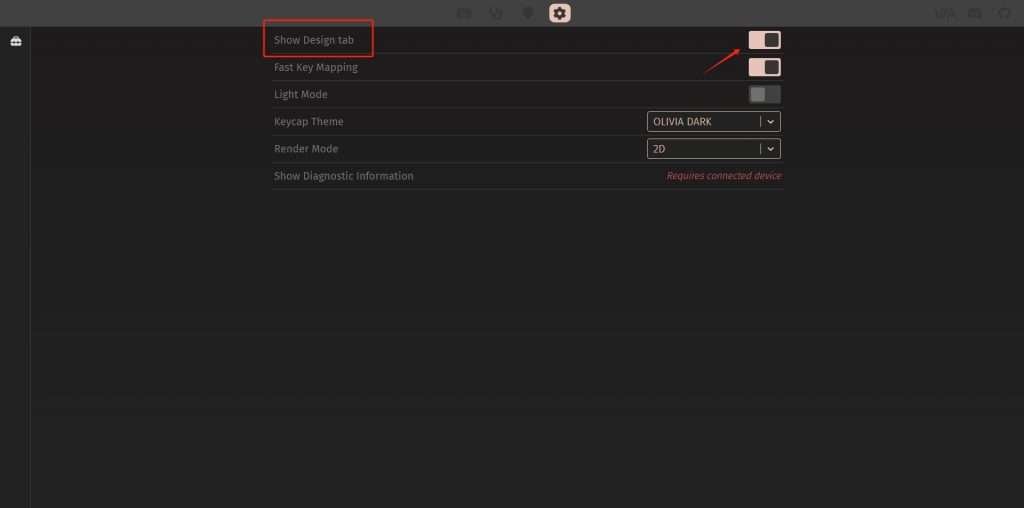
Enable Design Tab:
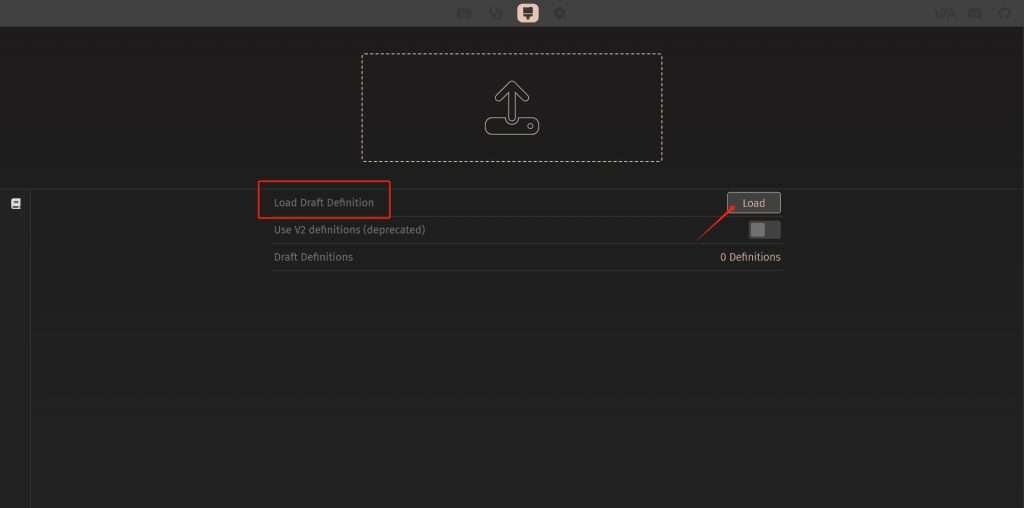
Load the Keyboard Layout:
Authorize Your Keyboard:
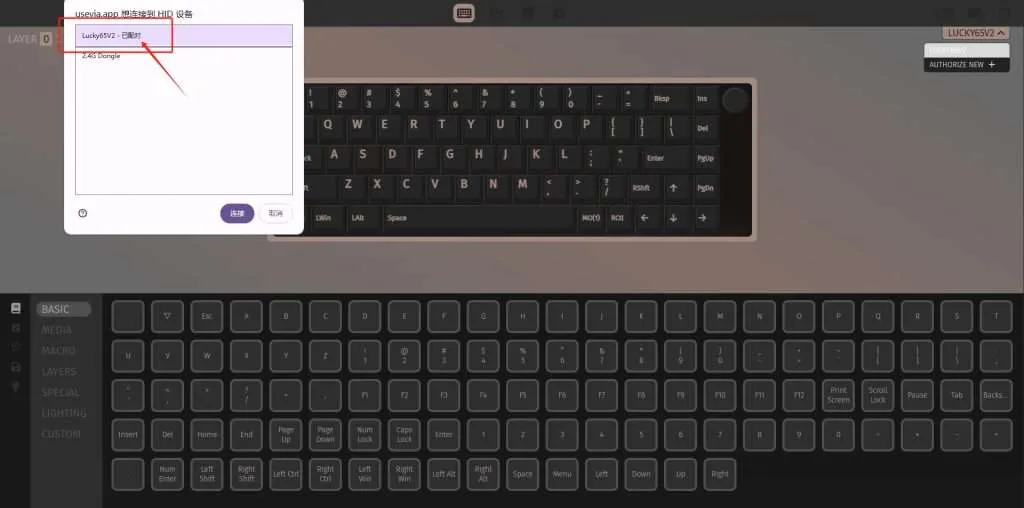
With your keyboard authorized in VIA, you can now start customizing your key layout:
Select the Key: Click on the key in the top row that you want to remap.
Choose a New Function: Click on the desired key or function in the bottom row. This will reassign the selected key to the new function.
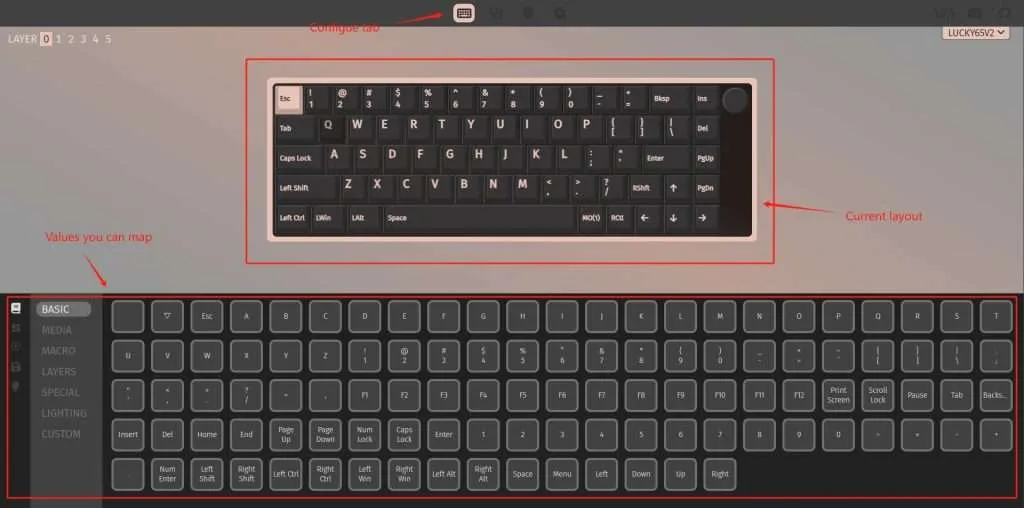
Macros can significantly streamline your workflow by automating repetitive keystrokes. Let’s explore how to create and assign macros in VIA:
Access the Macros Tab:
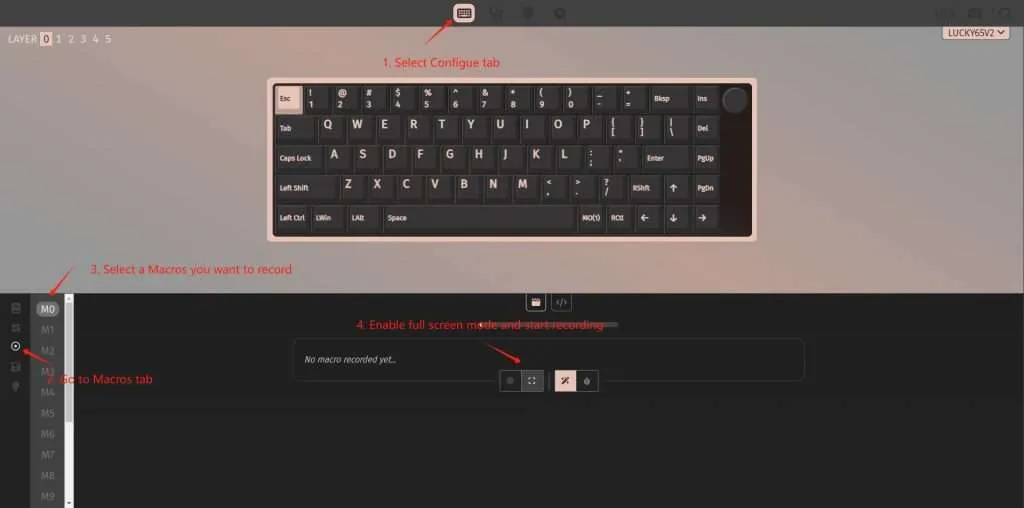
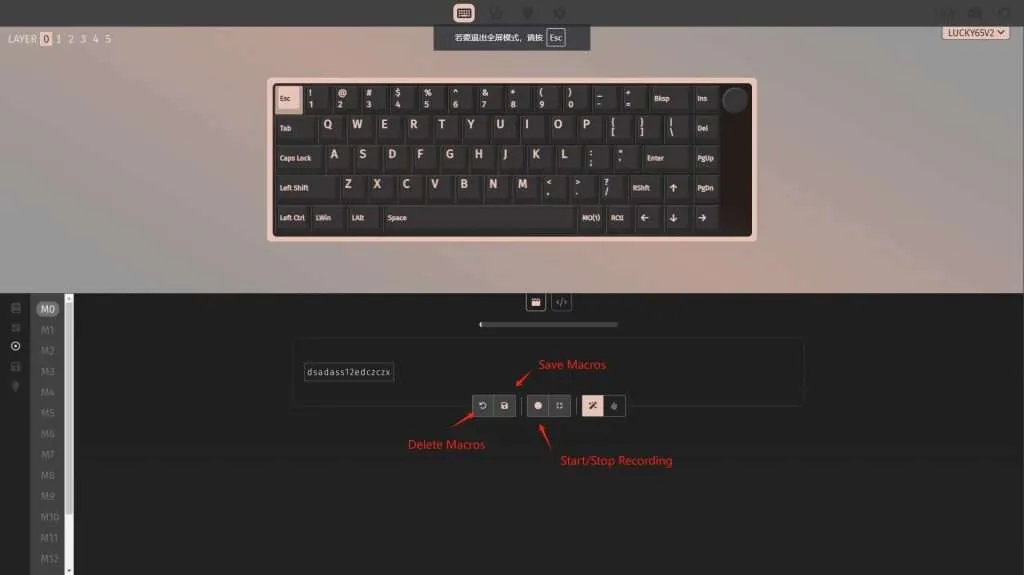
Record a Macro:
Save or Delete the Macro:
You can choose to save the recorded macro or delete it. VIA allows you to create up to 15 different macros.
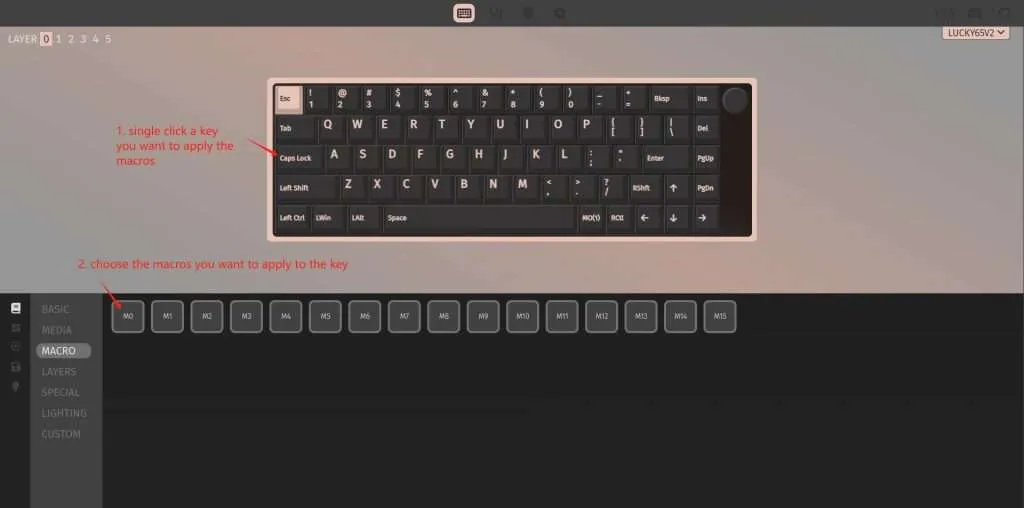
Assign a Macro to a Key:
The Stars80 likely offers stunning RGB lighting customization options. Let’s explore how to tailor the lighting effects to your preferences:
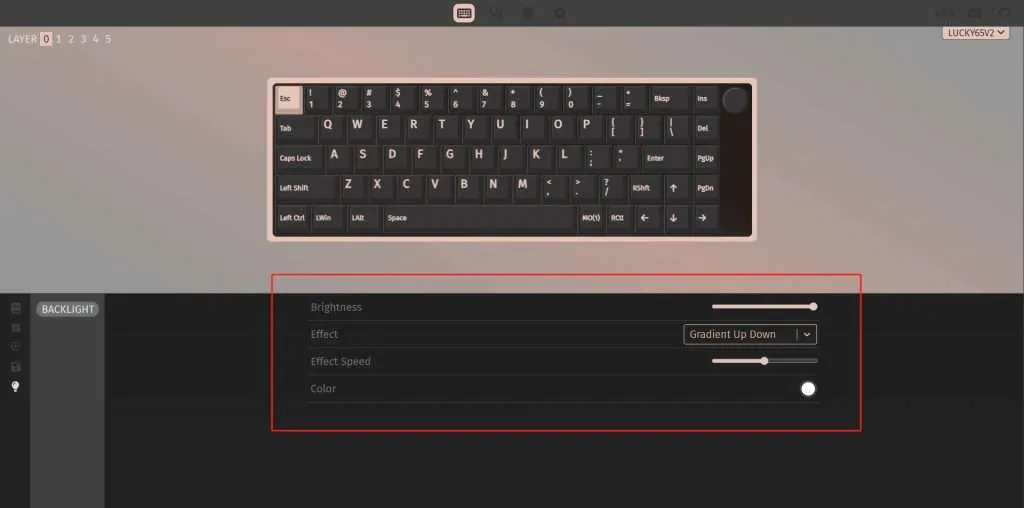
Access the LED Settings:
Customize Your Lighting:
Brightness: Adjust the overall brightness of the LEDs.
Lighting Effect: Choose from a variety of dynamic effects like breathing, wave, ripple, and more.
Lighting Speed: Control the speed of the selected lighting effect.
Color Palette: Select from a wide range of colors or create custom color palettes.
By following these steps, you’ve unlocked the full potential of your Stars80 keyboard. You’ve learned how to customize key mappings, create efficient macros, and personalize the RGB lighting to your liking. Remember, the possibilities are endless. Experiment with different configurations and find the perfect setup to enhance your typing experience. Happy customizing!
